GigaPan Mobile:
GigaPan on iPhone & iPod touch
Want to find your friend on the gigapixel Obama Inauguration panorama no matter where you are right now? With GigaPan Mobile you can. GigaPan Mobile brings the full range of currently more than 14’000 gigapans from GigaPan.org directly to your iPhone and iPod touch through Seadragon Mobile from Microsoft.
GigaPan Mobile 2.0
GigaPan Mobile 2.0 is here and there’s no need to add RSS feeds to your Seadragon Mobile, although you still can. Just grab your iPhone, launch Safari and head over to GigaPan Mobile and start enjoying all 20’000+ gigapans in full glory.
Quick Setup
- Get an iPhone/iPod touch.
- Install Seadragon Mobile.
- Add the GigaPan Mobile RSS feed to Seadragon Mobile.
GigaPan Mobile RSS Feed
Setup
- Install Seadragon Mobile from the Apple AppStore.
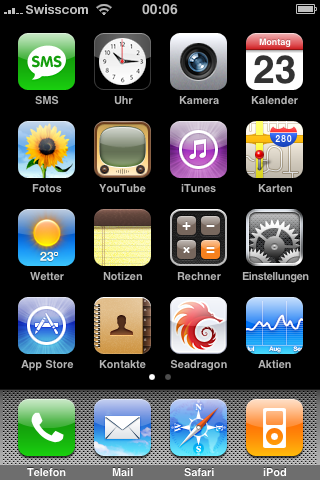
- Launch Seadragon Mobile…
![]()
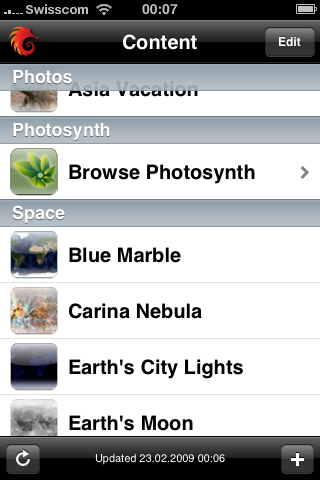
- Tap the + button in the lower right corner to add custom content…
![]()
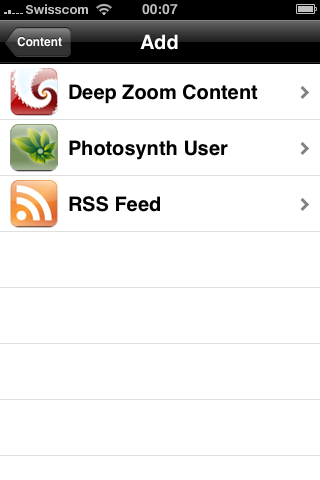
- Choose RSS feed…
![]()
- Enter the URL for the GigaPan Mobile feed from above and tap Done.

![]()
Browse GigaPan Mobile
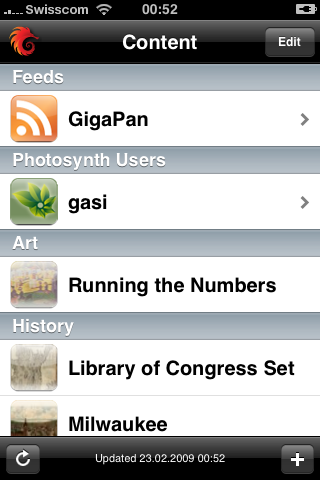
- Go to the newly added GigaPan feed in Seadragon Mobile…
![]()
- …and explore the details of one of the 10 most popular gigapans from GigaPan.org with just the tips of your fingers.

![]()
Photo President Barack Obama’s Inaugural Address © 2009, David Bergman
Inside GigaPan Mobile
GigaPan Mobile was built using Python, Google App Engine and knowledge acquired through the OpenZoom project.
20’000+ Gigapans (Update – 04.08.2009)
To see one of more than 20’000 gigapans with Seadragon Mobile, simply add the following link as Deep Zoom Content, where <ID> is the gigapan ID number:
Custom GigaPan Content for Seadragon Mobile
http://gigapan-mobile.appspot.com/gigapan/<ID>.dzi
Example: Obama Inaugural Address
http://gigapan-mobile.appspot.com/gigapan/17217.dzi


09.06.2009
20:05
[...] Have an iPhone? Daniel Gasienica, a very smart student in Zurich, has made it possible to view GigaPans and other large images on your iPhone or iPod Touch for free. It works best on a 3G network or wifi and you need firmware 2.1 or later. He explains how to do it on his blog. [...]
04.08.2009
13:59
Well done Daniel.
Unfortunately I don’t have iPhone or iPod touch to test it, but I believe it should be something fantastic. It woulbe be good showing some demo videos/images of it on your blog.
Payam
04.08.2009
14:05
Payam: Great idea! I will need to add search for gigapans and users first, though. In the meanwhile, you can still check out GigaPan Mobile since it knows you’re visiting with a desktop browser and will show you the beautiful new GigaPan viewer I’ve been working on which supports fullscreen and the mouse on Mac:
http://gigapan-mobile.appspot.com/gigapan/25500
http://gigapan-mobile.appspot.com/gigapan/5322
http://gigapan-mobile.appspot.com/gigapan/17217
Additionally, you can still subscribe to the feeds with Google Reader or your preferred RSS reader through:
http://gigapan-mobile.appspot.com/feed
http://gigapan-mobile.appspot.com/user/287/feed
P.S. Follow me on Twitter to find out when I publish the video:
http://twitter.com/gasi
http://twitter.com/OpenZoom
16.08.2009
20:57
[...] Com uma tecnologia com tantas possibilidades, surgem também algumas variantes, tais como o NanoGigapan, em que um pessoal junto o gigapan com microscópios, dando pra ver insetos nos mínimos detalhes. Outra coisa interessante também, é o mobile gigapan, que pode ser acessado a partir do iphone ou ipod touch. Eu testei e funciona muito bem, diretamente pelo Safári mobile ou utilizando o app Seadragon. Um passo a passo, pode ser obtido aqui. [...]
20.04.2010
16:28
How do I find my user ID to subscribe to the feed of my own images?
21.04.2010
14:52
Nick: Click on the author field on one of your GigaPans and it’ll take you to your profile page with the ID number in the URL, e.g. mine is: http://gigapan.org/profiles/13966/